These tools can really make a difference if you’re serious about YouTube.
The Youtube Algorithm
YouTube recently released the ability to split test thumbnails. It’s a way for them to say that: “you should package your videos nicely”.
VidIQ explains:
Thumbnail Split Testing
That being said, here’s a list of the 10 best AI powered tools to make youtube thumbnails.
Simplified’s AI Thumbnail Maker is a tool that helps you create captivating YouTube thumbnails. The tool uses AI to generate thumbnail templates and provides features like generative fill, auto-focus, text-to-image and more to help you create stunning designs quickly.
Appypie is a free AI YouTube Thumbnail Maker that helps you create personalized YouTube thumbnails that are visually captivating and tailor-made for any occasion. The platform offers a user-friendly interface.
Appypie
With Hotpot AI’s AI YouTube Thumbnail Templates, you can create stunning YouTube thumbnail images that boost your odds of engaging subscribers and increasing video views.
Hotpot AI
Thumbnail AI is a website that has an AI-powered YouTube thumbnail rating tool to maximize clicks. You can drag an image to the website to get an AI rating of your YouTube thumbnails.
Thumbnail
Canva is one of the best tools to create custom YouTube thumbnails using its templates and design elements. With Canva, you can add text and design elements to your chosen snapshot or create a clean-cut thumbnail designs.

Thumbnail ai is a website that offers a free thumbnail maker for YouTube, Twitch, Facebook, and more. With Thumbnail AI, you can choose an image or drag it to the website to get an AI rating of your YouTube thumbnail.
Thumbnail AI
Thumbnail maker art is a website that offers a free AI-powered YouTube thumbnail maker. With Thumbnail Maker art, you can upload an image you want to turn into a thumbnail along with a brief description, and the website will generate stunning YouTube thumbnails for you.
Thumbnail Maker
Adobe Express is a website that offers a free YouTube thumbnail maker. With Adobe Express, you can create custom YouTube thumbnails using a variety of templates, graphics, and fonts.
Adobe Express
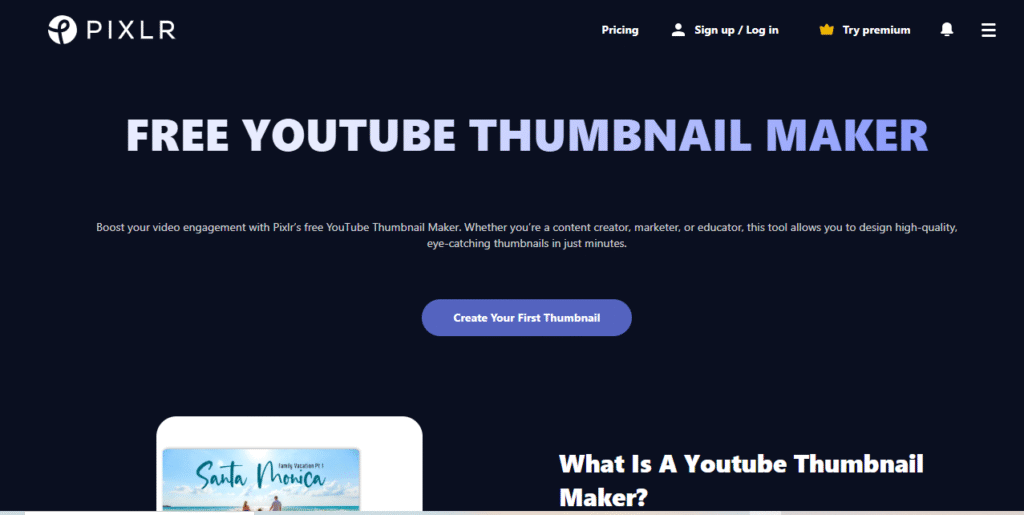
Pixlr has a YouTube Thumbnail Maker that you can use to create engaging YouTube thumbnails with customizable templates. Pixlr also has a wide range of photo editing tools.
Plixr
I hope that this article helps you out when you’re creating your next YouTube thumbnails.
Thanks for reading & Good Luck!
🔥 Bonus: Visit our Audio Wisdom Site to get the direct codes of this project.
🌱 Subscribe HERE to receive an email each time we post an article.